BikeLife Society PC Setup
Why BikeLife Society is built for PC—and what you need for smooth rideouts.
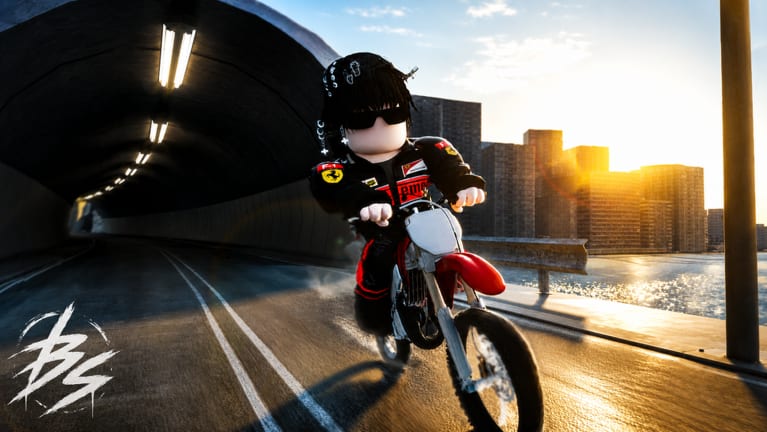
BikeLife Society is a Roblox open-world dirt bike game centered on wheelies, stunt combos, and large multiplayer rideouts. The developers and community treat it as a PC-first experience. Roblox technically runs on phones and tablets, but this place is not made for mobile—not as a slogan, but as a control and performance reality you should understand before spending Robux on StarkVarg, YZ450F, or economy passes.
This page covers minimum and recommended hardware, Roblox client settings, controller vs keyboard, and what mobile players should expect if they try anyway.
Not made for mobile — read this first
Mobile Roblox works for many obbies and simulators. BikeLife Society is different:
Precise throttle control — Holding a perfect wheelie requires fine acceleration adjustments. Touch sliders and small screens make micro-corrections harder than keyboard or controller triggers.
Camera and turn radius — Stunt lines weave through traffic, alleys, and rideout packs. Mobile camera swipes fight against quick lean corrections.
Server performance — Crowded rideouts stress draw distance and physics. Phones thermal-throttle faster than PCs, causing frame drops mid-combo.
UI density — Garage menus, 45 game pass shop entries, job prompts, and turf overlays crowd small screens.
You can launch the experience on mobile Roblox. Many veteran players consider that a demo session, not real progression. For purchase decisions, read the game pass tier list assuming PC play.
Minimum PC requirements (practical)
Roblox publishes light official specs; for BikeLife Society open world with other players, use these practical minimums:
| Component | Minimum | Notes |
|---|---|---|
| OS | Windows 10 64-bit | Roblox drops older Windows over time |
| CPU | Intel i5 / Ryzen 5 (4 cores) | Rideouts need headroom beyond solo |
| RAM | 8 GB | 16 GB recommended if browser tabs stay open |
| GPU | GTX 1050 / RX 560 class | Integrated graphics struggle in crowds |
| Storage | SSD preferred | Faster place load than HDD |
| Network | Stable 10+ Mbps | Wi-Fi spikes cause rubberband in packs |
Roblox is CPU-bound in many places; rideout FPS often drops before your GPU maxes out.
Recommended PC setup for rideouts
If rideouts are your main activity—see multiplayer rideouts guide—aim higher:
- 16 GB RAM for Roblox client + Discord + capture software
- GTX 1660 / RX 6600 or better for consistent 60 FPS in traffic
- Wired Ethernet during hosted events
- SSD to reduce respawn load after crashes
S-tier bikes like StarkVarg do not lag less than CR80R—player count and map density decide FPS. A better PC keeps combo timing readable when twenty riders occupy one block.
Roblox client settings
Open Roblox settings before tuning in-game graphics:
- Graphics Mode — Automatic often caps low on laptops; set Manual and test Medium–High on desktop.
- Max Frame Rate — Uncap or set high on capable PCs; stunt timing feels mushy at 30 FPS.
- Fullscreen — Reduces input lag vs windowed on some systems.
- Reduce motion / camera shake — Personal preference; some stunt players disable extra effects if added in updates.
In-experience, lower Render Quality one step if rideouts stutter—better stable FPS than max shadows while wheeling.
Keyboard vs controller
Most PC players use keyboard + mouse:
- WASD or arrow keys for bike control
- Mouse for camera during lines and landing alignment
- Key binds for wheelie / stunt modifiers depending on current build
Xbox-style controllers work for players migrating from console Roblox. Map throttle to triggers for smoother wheelies than binary keyboard taps. PlayStation controllers work via Roblox on Windows with proper drivers.
There is no official mobile-style tilt control on PC—another reason the game targets desk setups.
Audio, Discord, and capture
Rideout communities coordinate on voice—budget headset mic reduces chaos. Streamers recording YZ125 flex clips should test encoder load; NVENC on NVIDIA cards offloads CPU Roblox already needs.
Account and pass considerations on PC
All game passes—2X PAYCHECK, EXPAND GARAGE, ColoredGloves, bike unlocks—bind to your Roblox account, not one device. Buying on phone still unlocks on PC, but playing heavy content on phone remains poor.
Use PC for getting started tutorials, codes redemption, and tier list shopping comparisons with the garage UI fully visible.
Troubleshooting common PC issues
Sudden FPS collapse in rideouts — Lower render quality, close background apps, check laptop power mode (plug in, performance plan).
Input delay — Fullscreen, disable V-Sync in GPU panel if Roblox allows high FPS; avoid remote desktop for stunt practice.
Crash on load — Clear Roblox cache, verify you are joining the real BikeLife Society place—not BLS Temp Place or quad placeholder; see temp placeholder status.
Robux purchases not showing — Rejoin server; passes persist account-wide.
Mid-2026 access caveat
Even a strong PC cannot fix landing in the wrong experience. If the main game link routes to 3vo0l’s temporary quad placeholder, you may see reduced maps regardless of hardware. Follow updates and NEW BIKES patch notes for when the full open world returns.
Should you play on PC only?
For honest progression, rideout participation, and pass value from the bike tier list—yes. Mobile Roblox is fine to check shop prices or chat with friends; it is a poor primary platform for stunt cash grind and large rideouts.
Read the review page for community perspective once your PC setup is stable.
Frequently Asked Questions
Quick answers for BikeLife Society riders.
Can you play BikeLife Society on mobile?
Roblox mobile can open the game, but BikeLife Society is not made for mobile—stunts and rideouts expect PC or controller precision.
What PC do I need for BikeLife Society rideouts?
Practical minimum is a quad-core CPU, 8 GB RAM, and a discrete GPU like GTX 1050 class; 16 GB RAM and a stronger GPU help crowded servers.
Is keyboard or controller better?
Keyboard and mouse is most common on PC; controllers with analog triggers work well for smooth wheelies if you prefer console feel.
Why does FPS drop during rideouts?
Many players and vehicles in one area load CPU and network—lower render quality or upgrade RAM/CPU headroom.
Do game passes work the same on PC and mobile?
Passes unlock account-wide, but garage UI and stunt control are far better on PC—buy passes assuming desktop play.
Does a better PC unlock better bikes?
No—bikes like StarkVarg are Robux passes, not hardware—but a better PC makes S-tier bikes usable in large rideouts.